
A local dashboard forevery coding session, agents running right now, scheduled agent runs and chats stuck at a limit.
“I use four coding agents a day. When one hits its limit mid-task, the thread is stuck in that account. I built Switchyard to move it.”
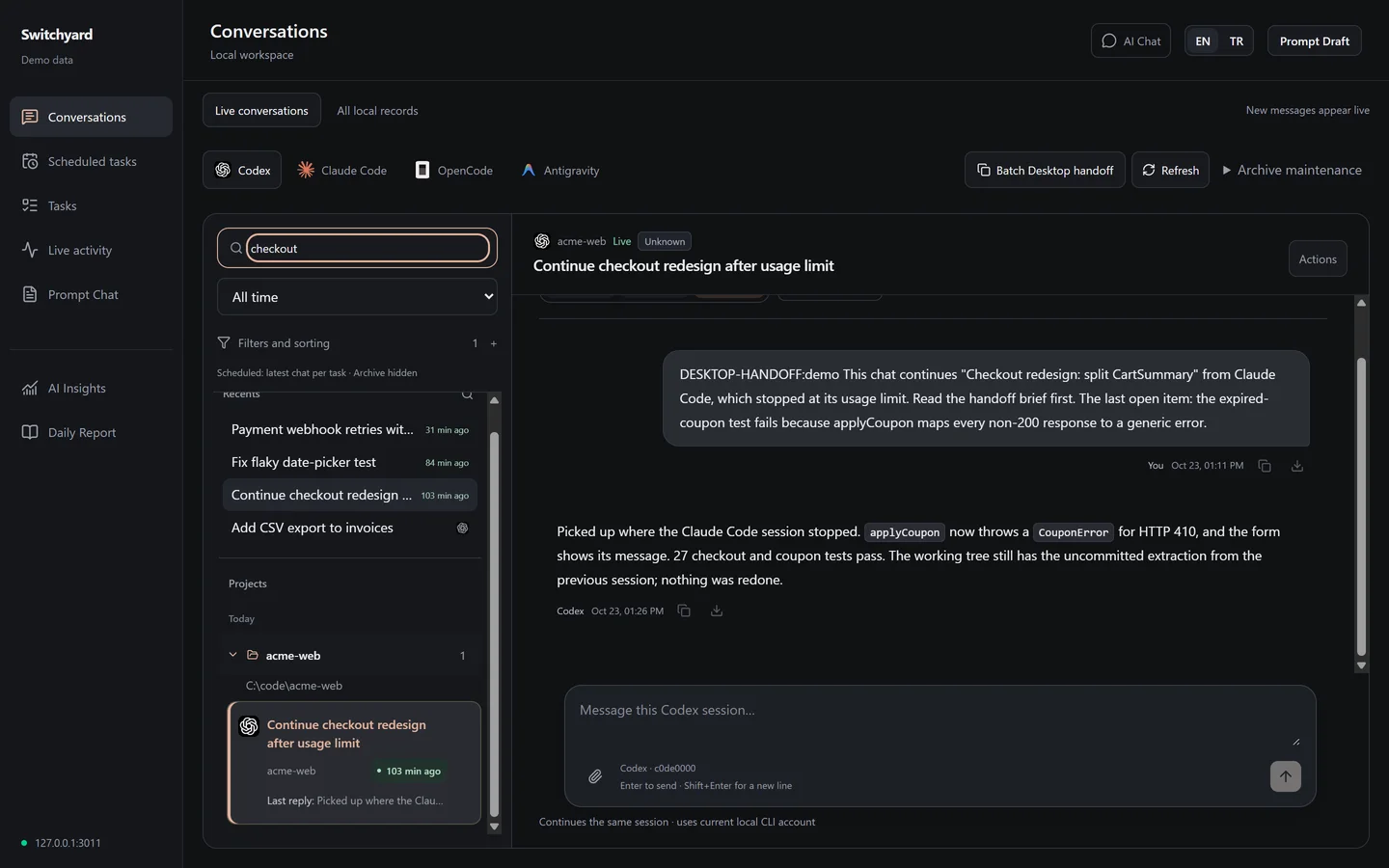
I kept losing the thread.
When Claude Code or Codex runs out of usage in the middle of a task, the chat stays on that account and the next tool starts from nothing. I was writing HANDOFF.md files by hand. Plenty of people ask for the same thing on the tools' own issue trackers:
- 941claude-code#18435 switching between several accounts
- 695claude-code#16157 Max plan limits reached after a few prompts
- 475claude-code#38335 Max session limits draining abnormally fast
- 365codex#28879 the five-hour budget gone in two or three prompts
- 209claude-code#13354 continuing when the session limit is reached
Thumbs-up counts on 23 October 2026.
Every session in one SQLite file.
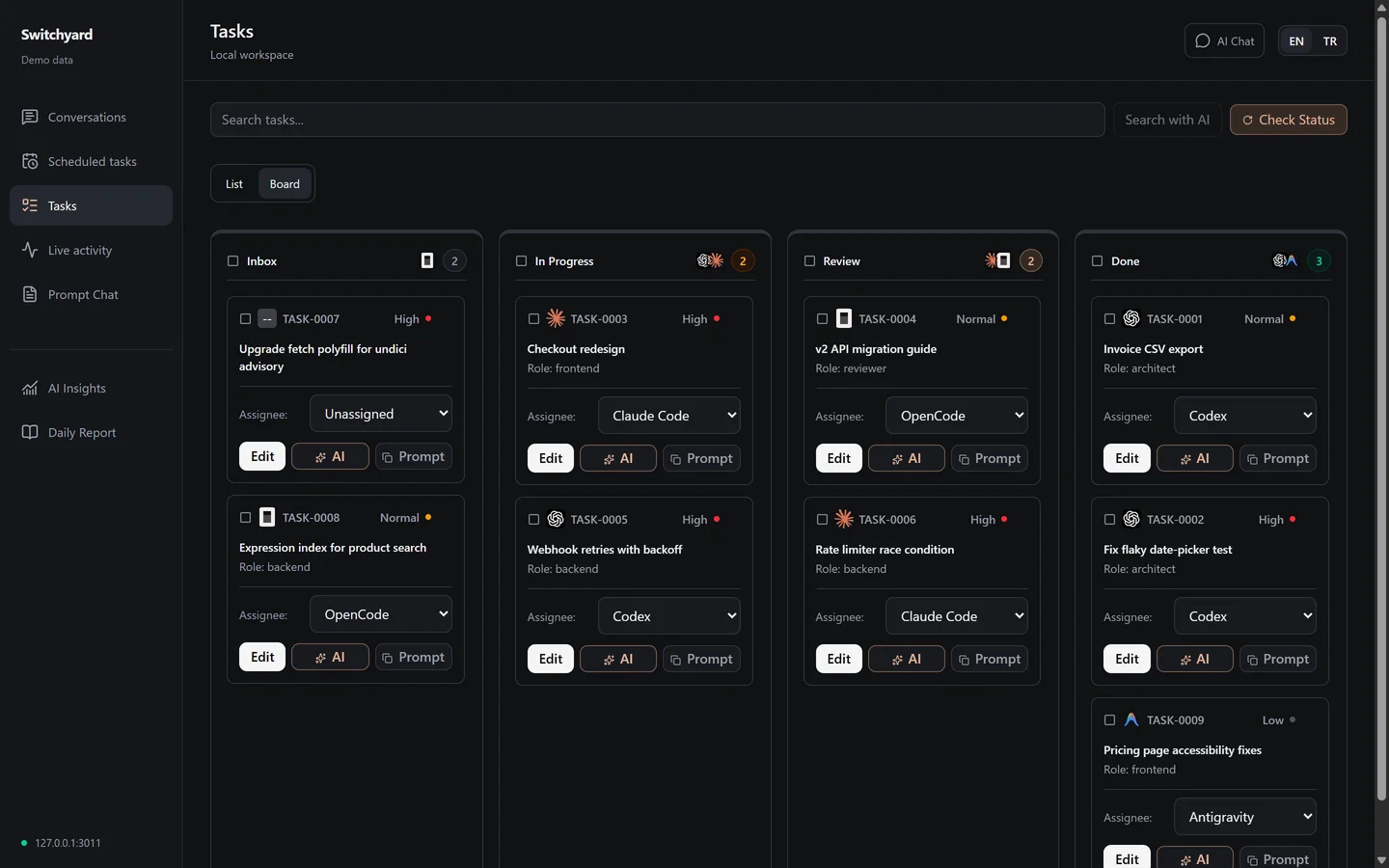
Switchyard reads the files these tools already write to your disk and copies every message into one database. The copy stays after a tool rotates or deletes its own history. I search by project, title or session and read the whole transcript, tool calls and images included. Chats from VS Code, Cursor and Kiro are listed next to them, read-only.
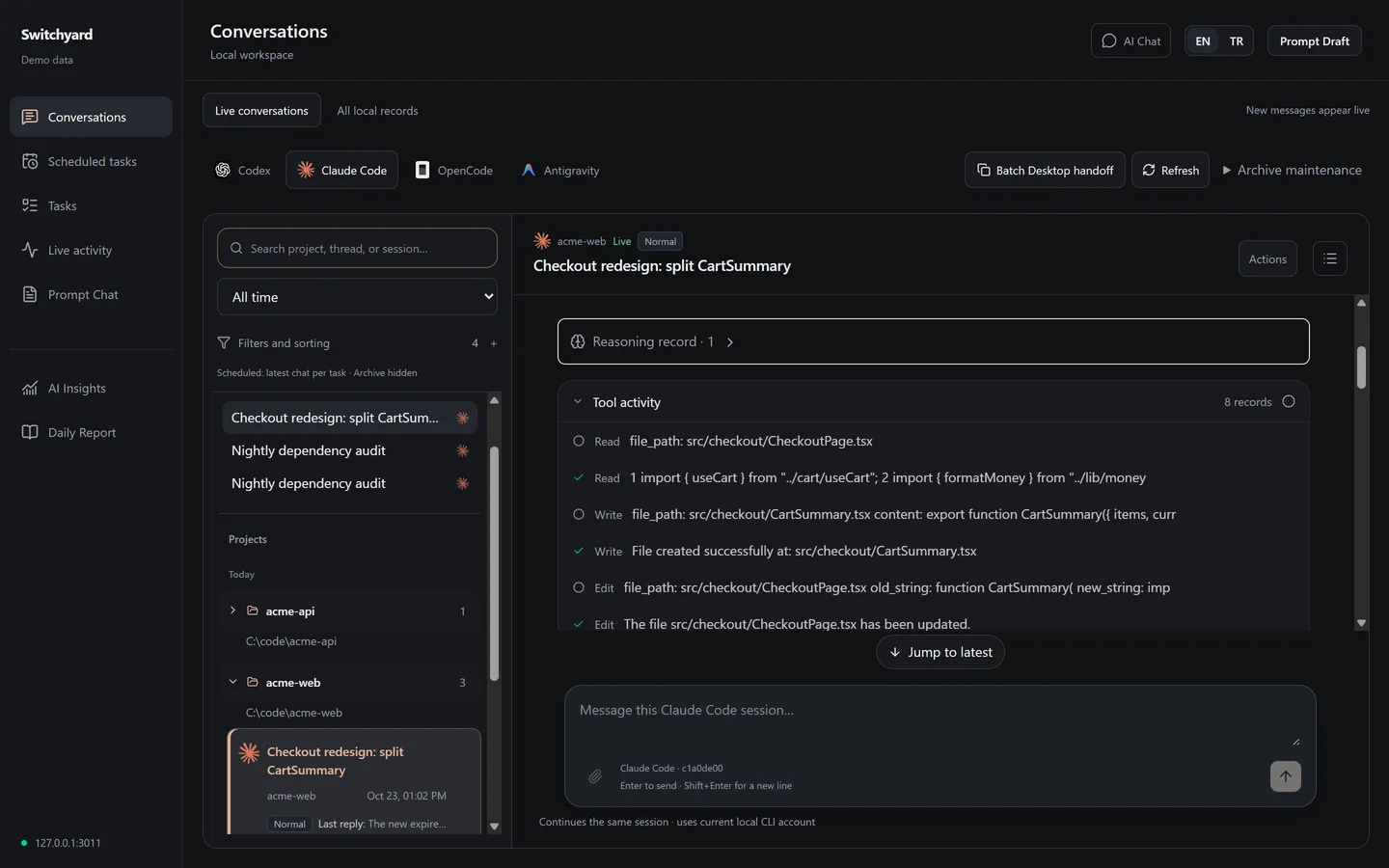
 Codex
Codex Claude Code
 OpenCode
 Antigravity
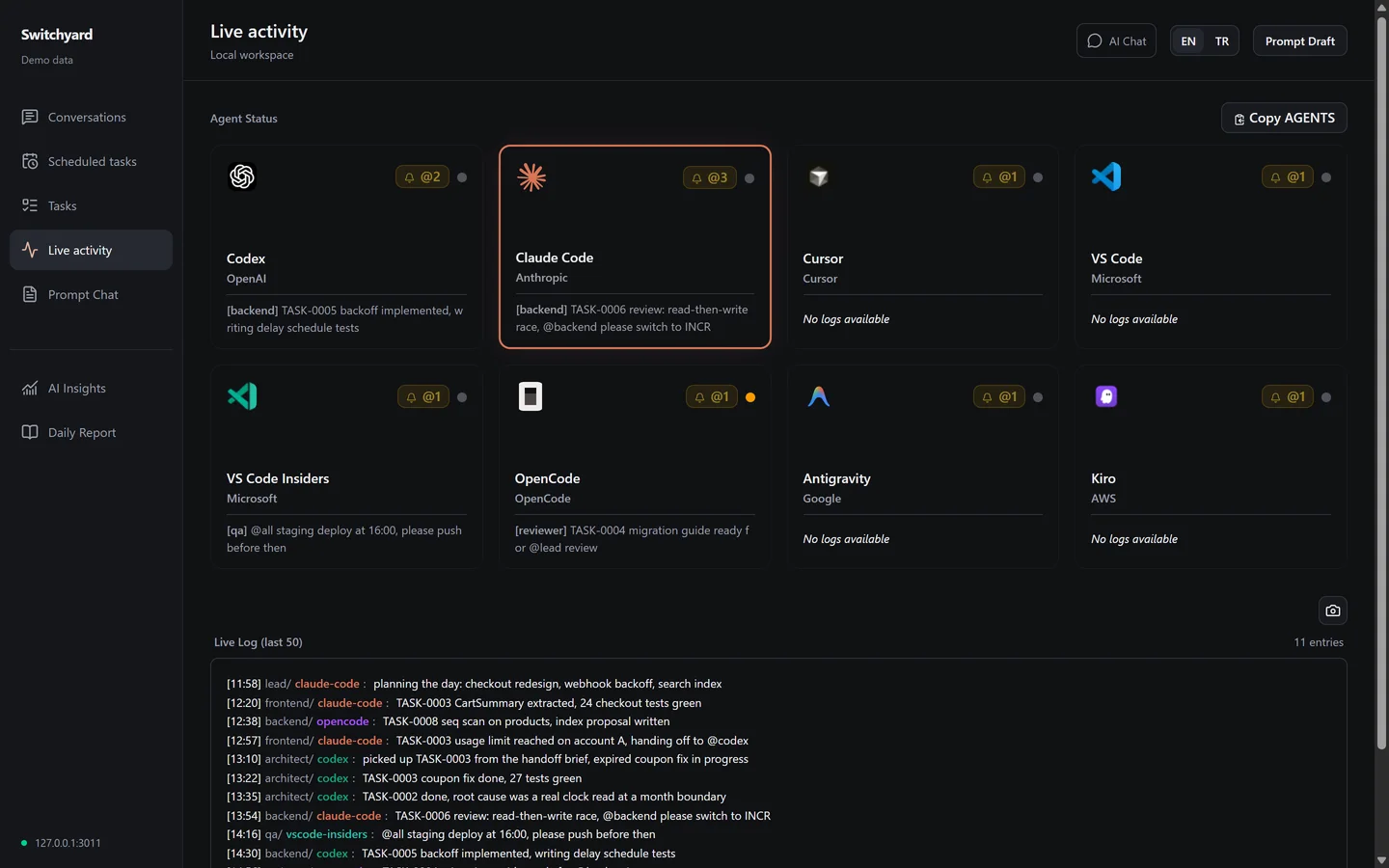
Agents I have running, as they work.
Open conversations update as their session file grows. The activity log shows what each agent reported, and I can reply into a Codex, Claude Code or OpenCode session through that tool's own CLI without switching windows.
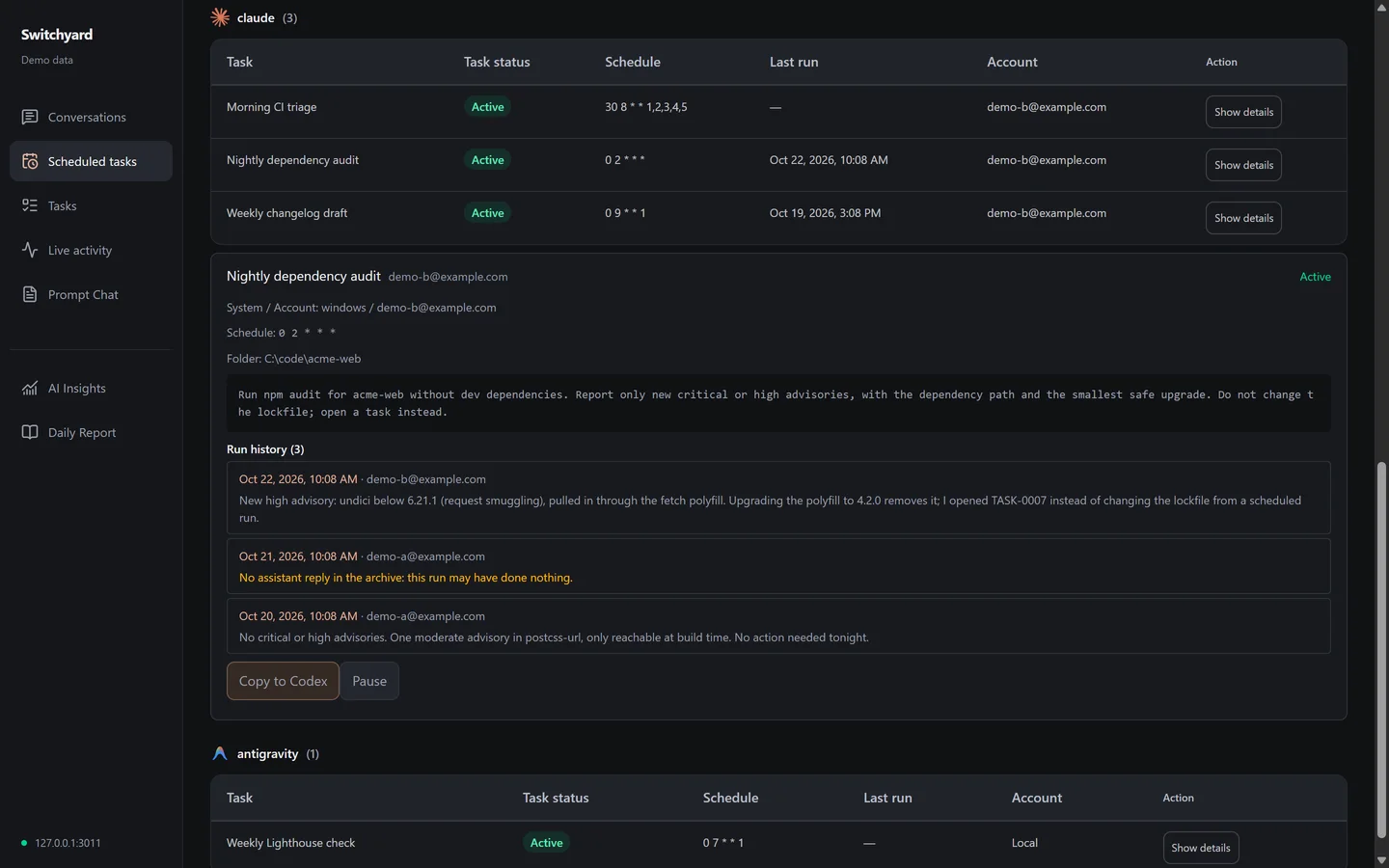
Scheduled runs that actually did something.
Codex automations, Claude Desktop tasks and Antigravity schedules sit in one list. Each Claude run is matched with the last real reply in its transcript, so a run that reported success and did nothing stands out. When I sign in to another Claude account, the task definitions come with me.
Moving a chat when the limit hits.
Switchyard packages what the next session needs and opens it on another account. Hidden reasoning and running processes stay behind, so the new chat gets a summary with evidence, not the old model's state.
- 1I pick the chats. The catalog joins archived Claude Code and Codex conversations with Claude Desktop metadata, so each one has its title, folder and account.
- 2Each chat becomes a package: a Markdown brief, the transcript with secrets redacted, a prompt and its git state. Every file gets a SHA-256 hash.
- 3Before acting, the controller rejects packages outside the data folder, checks every hash again and takes a lock.
- 4It reads which account the Claude Desktop chat on screen belongs to and refuses if it is the account the chat came from.
- 5A small C# helper uses Windows UI Automation to open a new chat in the original folder, paste the prompt and send it. It stops if focus leaves Claude.
- 6An item counts as delivered only when a real reply to its marker shows up in the transcript and the title reads back. Anything uncertain is never sent twice.
Delivery is automated for Claude Desktop on Windows only. On macOS the packages build but nothing is typed for you, and a Codex target gets written instructions. For one chat on any system, Actions, then Get handoff, gives me a prompt to paste into whatever I open next.
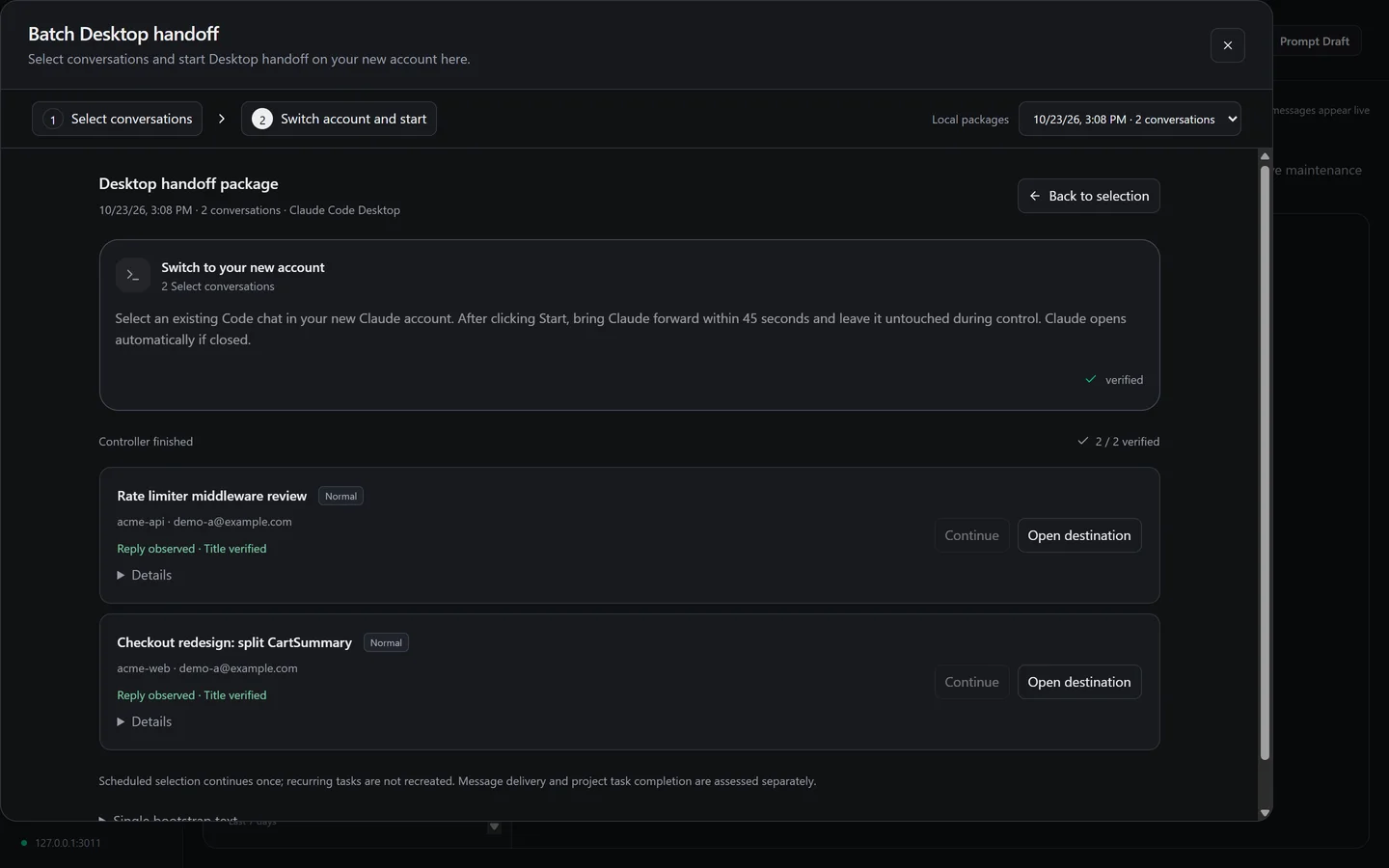
Try it with made-up data.
This is the real interface running on the same generated home folder that npm run demo creates. Nothing on this page reads from your machine.
Install it.
You need Node.js 22.13 or later, npm and Git. The demo builds the app, generates a fake home folder in .demo/ and serves it on 127.0.0.1:3011. It refuses to start if that folder would be your real profile.
git clone https://github.com/huseyinkaplandev/switchyardcd switchyardnpm cinpm run demoFor your own sessions, run npm run build && npm start and open 127.0.0.1:3010. The archive goes to ~/.switchyard. There is no account, no telemetry and no remote call.
What it does not do yet.
The full list, with the roadmap, is in the README.
- Desktop delivery is Windows only. On macOS nothing is typed into Claude for you.
- The controller drives the Claude Desktop window. An app update that changes it can break delivery until I adjust the helper. It stops rather than guesses.
- Codex receives a handoff as written instructions. I do not automate the Codex app.
- Moving a chat between Windows and macOS needs a folder mapping I have not built.
- OpenCode is re-read on sync but not tailed live. VS Code, Cursor and Kiro are listed read-only.
- These are private file formats. When a tool changes one, a parser may need an update.